Watercolor Wreaths Clip Art: A Versatile Design Resource Done Right
If you're crafting wedding invitations, designing a blog layout, or creating custom greeting cards, watercolor wreaths clip art can be a beautiful and practical choice. This hand-painted collection brings a soft, organic feel to any project, and when used thoughtfully, it elevates the visual appeal without overwhelming the message.
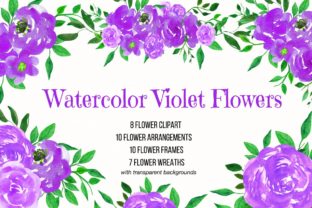
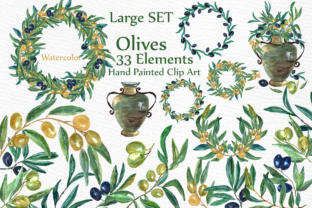
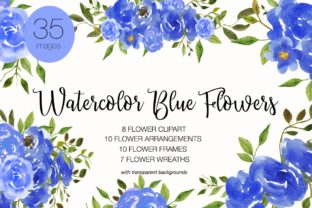
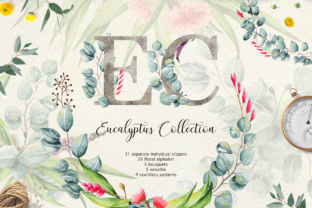
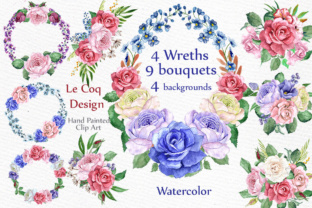
What makes this particular set stand out is its attention to detail and format flexibility. It includes 4 wreaths, 9 bouquets, and 4 floral papers—all in high-resolution PNG or JPG formats. Sizes range from 12 x 10 inches to 14 x 14 inches, giving you room to work across print and digital mediums without sacrificing quality.
Common Missteps and How to Avoid Them
While watercolor clip art can add a touch of elegance, there are a few pitfalls that designers and DIY creators often overlook. Recognizing these early can save time, money, and frustration.
1. Underestimating File Resolution Needs
One of the most frequent errors is assuming that any image labeled “high-res” is suitable for both print and web. In reality, 300 dpi is necessary for print projects like wedding invitations or greeting cards to ensure crisp, professional results. Web use can often get by with 72 dpi, but using lower-resolution files in print will result in blurry, pixelated images.
Better approach: Always confirm the file resolution before purchasing or downloading. This set delivers 300 dpi files across all elements, making it a safe bet for both digital and physical applications.
2. Overlooking File Format Compatibility
Another common oversight is not checking whether the file type matches your software or intended use. For example, PNGs are ideal for digital designs where transparency is needed, while JPGs are better suited for full-coverage backgrounds or print layouts.
Better approach: If you're using Canva or Photoshop, PNG files with transparent backgrounds give you more flexibility. For printed stationery or blog headers, JPGs may be more efficient. This set gives you both options, so make sure to use the right format for the task.
3. Not Previewing at Actual Size
It’s easy to get excited about a beautiful watercolor wreath in thumbnail view, only to discover later that the composition doesn’t scale well. Some designs that look lush at full size become sparse or unbalanced when resized for a card or website header.
Better approach: Before finalizing your layout, always preview the clip art at the intended size. This helps you assess how the watercolor textures and floral balance hold up in real-world application.
4. Ignoring Licensing Terms
Many people assume that once they download or purchase clip art, they can use it however they like. However, some licenses restrict commercial use or require credit to the creator. This can lead to legal issues if you're selling items like wedding invitations or printables.
Better approach: Read the licensing agreement carefully. Since this set is described as original hand-painted work, it’s important to confirm whether it's cleared for commercial use without attribution. If unclear, reach out to the seller before use.
What to Check Before You Buy or Use Watercolor Wreaths Clip Art
Before investing in any clip art collection, including this watercolor set, consider the following factors to ensure you're getting the best value and usability:
- File types included: Are both PNG and JPG formats available? Do you need transparency?
- Resolution: Is it 300 dpi for print, or will you be limited to digital use only?
- Size dimensions: Do the file sizes match your project needs (e.g., 12 x 10 for cards, 14 x 14 for larger layouts)?
- License terms: Can you use the art commercially? Do you need to give credit?
- Color consistency: Do the watercolor tones work across all elements, or will you need to adjust hues in your design software?
Using Watercolor Wreaths Clip Art Effectively in Real Projects
Let’s look at a few realistic scenarios where this set can shine—and how to avoid common hiccups.
Wedding Invitations
Watercolor wreaths are a popular choice for romantic, nature-inspired wedding stationery. However, if the wreath is too large or detailed, it can crowd the text or make the invitation feel cluttered.
Better approach: Use one of the 14 x 14 wreaths as a background element and layer text over it with a soft white overlay or semi-transparent box. This maintains the visual charm without compromising readability.
Blog Graphics
For bloggers, watercolor bouquets can add a handmade, approachable feel to headers or social media thumbnails. But if the colors clash with your brand palette or the image is too busy, it can distract from your message.
Better approach: Choose bouquets with a neutral base or muted tones that complement your blog’s color scheme. Use them as accents rather than dominant visuals, especially in smaller thumbnails.
DIY Crafts and Printables
Hobbyists and small business owners often use clip art in DIY kits, planners, or printable art. A common mistake is using too many different elements at once, which can make the design look amateurish.
Better approach: Stick to a cohesive theme. For example, use one or two wreaths and a matching bouquet to maintain visual harmony. Pair with the included floral papers for a coordinated, professional look.
Final Thoughts
The watercolor wreaths clip art set described here offers a versatile, high-quality resource for a wide range of creative projects. Its hand-painted aesthetic brings warmth and personality, and the variety of file types and sizes ensures flexibility across media.
By understanding potential pitfalls—like resolution mismatches, format limitations, and licensing restrictions—you can make the most of this collection without compromising your design quality or project goals. Always preview, plan, and double-check before finalizing your work, and you’ll be rewarded with elegant, professional results every time.